Phase 4: Inappropriate use (change detection)
Someone intervenes without being authorised to.
Even with no intrusion detected or detectable (an authorised actor is present, or an intruder is physically present without any radio device to give them away), the Cube is able to recognise an abnormal situation and react.
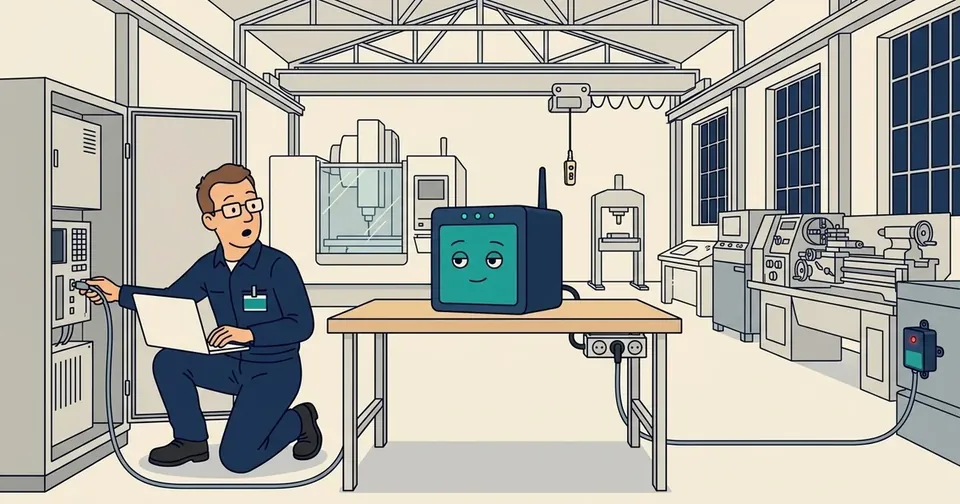
In the 3D scale model of the workshop, two chapters replay this phase: a machine wired directly during the night, then break-glass on an evening when a machine really has to run.
After the observation phase, once all the characteristics of your machine fleet have been captured by the satellites, the Cube builds a map of usage, day by day and outlet by outlet.
From then on, new rules become available, with their logging, alerting or access cut-off actions. In our first use cases, we observed in particular a machine being added to a free outlet without authorisation, two power outlets being swapped (to get round a ban on accessing a machine at certain times, it is plugged into the authorised outlet), and an extension lead being added to an authorised outlet.
Of course, not all of these cases are fraud, and they may be legitimate or even urgent: the "break glass in case of emergency" mechanism, based on a QR code scanned by the mobile application, releases access, with a log entry that makes it possible to validate the emergency. You stay in control of your equipment and your production lines at all times. But everything is recorded, provable and to be explained after the fact.
In the app: break-glass
When a legitimate situation falls outside the rules, a breakdown at night or a machine that must be restarted urgently, the app offers an emergency procedure designed to stay simple under pressure, yet impossible to trigger alone. Two things are needed: an authorisation already approved by two administrators on the server, and the paper QR code kept in the site's security box together with its instructions. One without the other is not enough, neither for someone who stole the binder nor for someone with access to the server alone.
Three steps, on site
The manager opens the box, scans the QR code with their phone, then confirms with Face ID. The Cube checks everything and switches to emergency mode: the red badge appears on its detail screen, and the phone becomes the authorised carrier for the rest of the intervention.
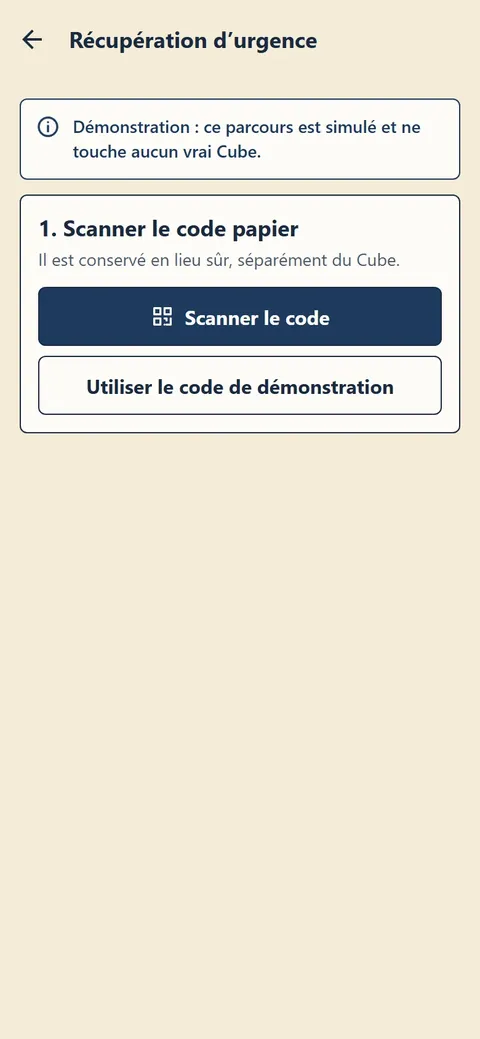
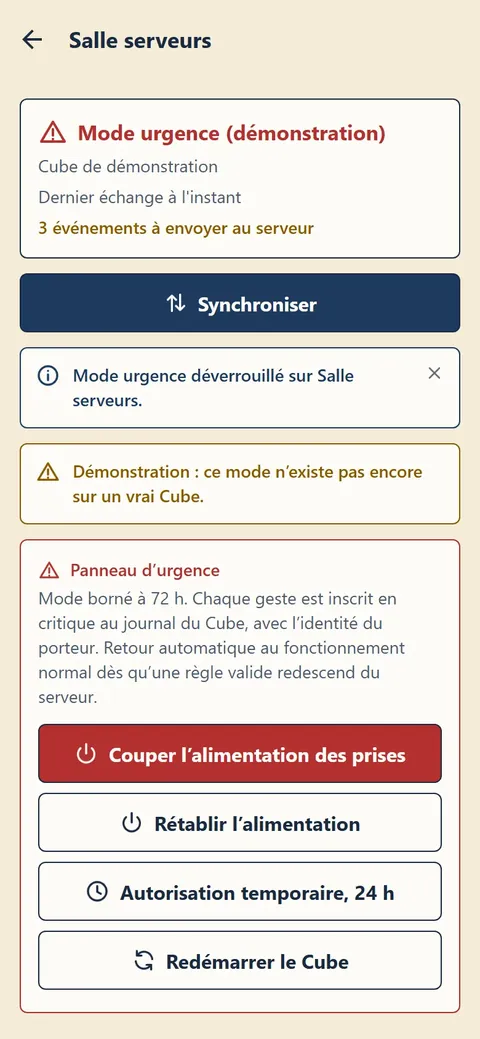
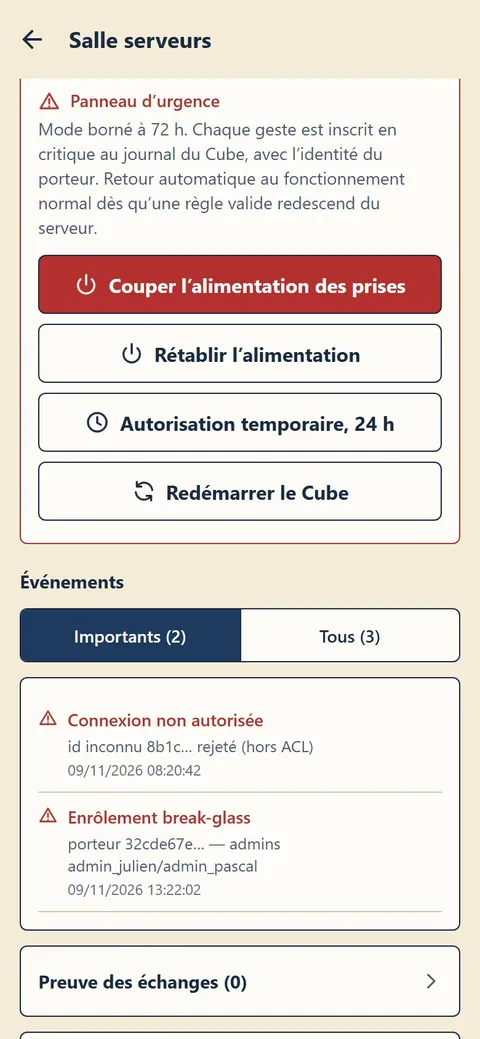
Screenshots taken in demonstration mode with fictitious data; the app interface is currently in French.
And everything is recorded
The activation itself is written in red to the Cube's log, with the identity of the carrying phone and of the two administrators who approved the request. It goes up to the server with the next synchronisation, like any other entry, and cannot be erased along the way: you can act fast when it matters, and calmly explain the next day what happened and why.
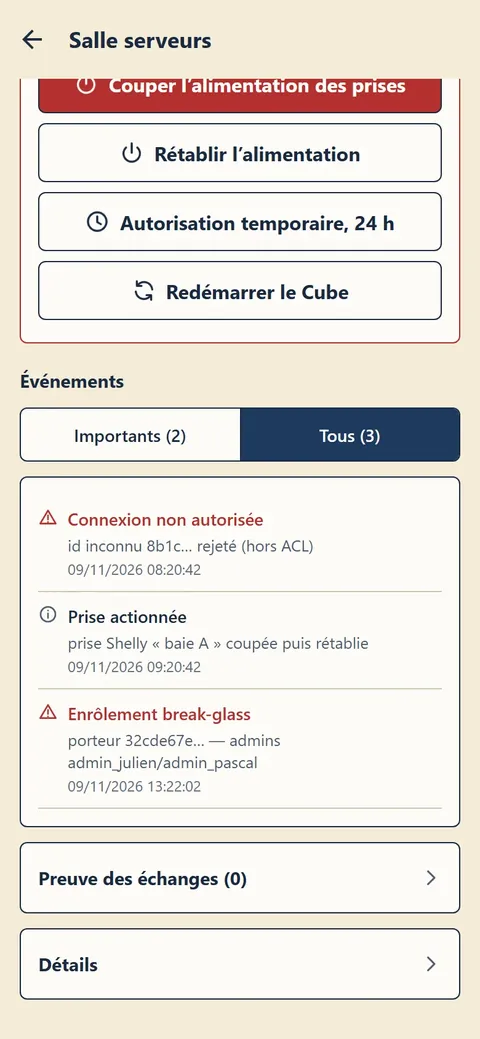
Screenshots taken in demonstration mode with fictitious data; the app interface is currently in French.